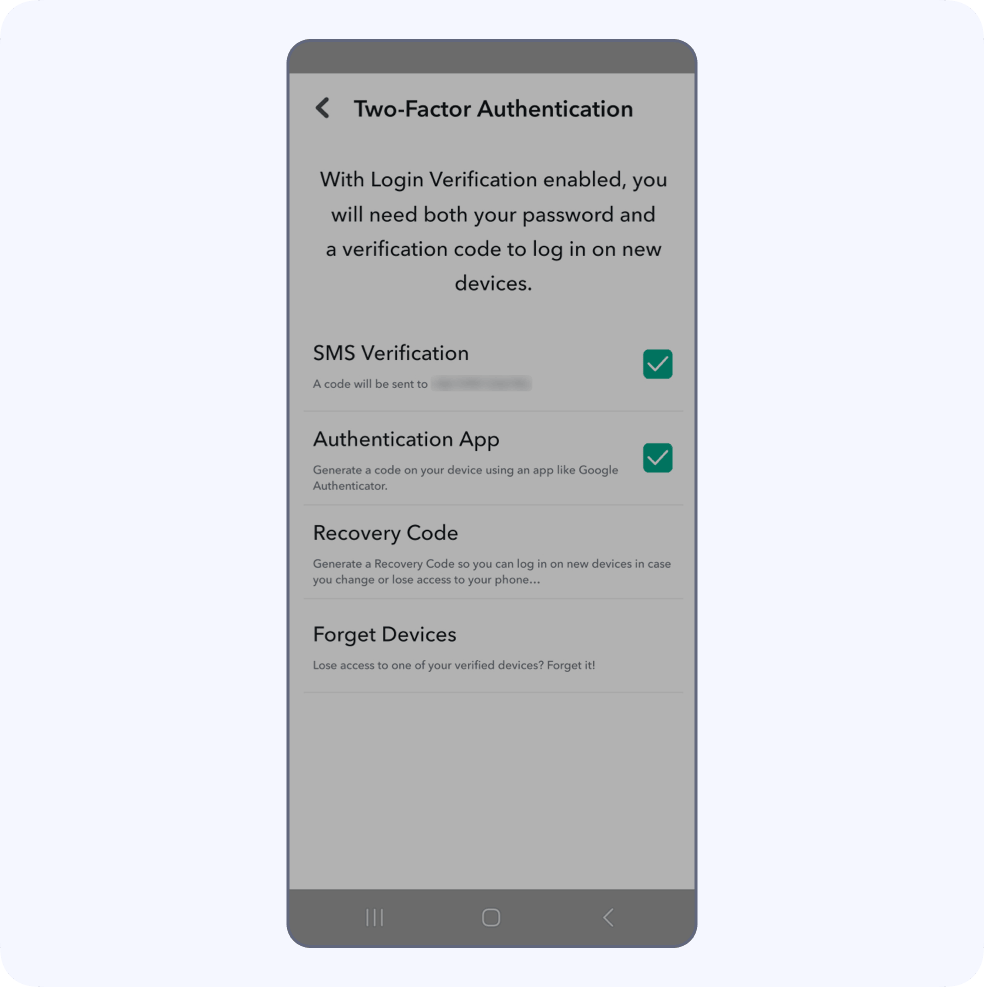
How to use
Steps to enable Two-Factor
Authentication (2FA) for Snapchat
1. Locate 2FA on Snapchat
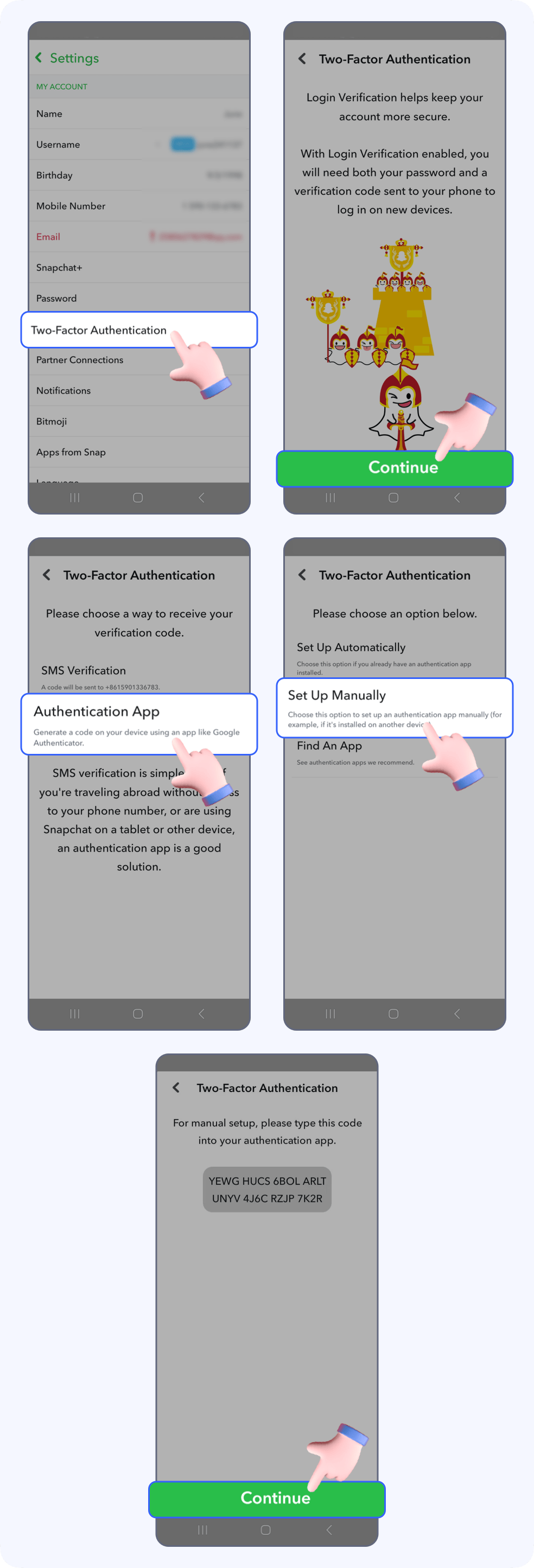
Open Snapchat, tap the Profile icon in the top left corner, then tap the Settings icon in the upper right.

Tap Two-Factor Authentication -> Continue -> Authenticator App -> Set up Manually, then the software will automatically generate a Private key, copy the Private key and click the Continue.
2.Bind your Snapchat account
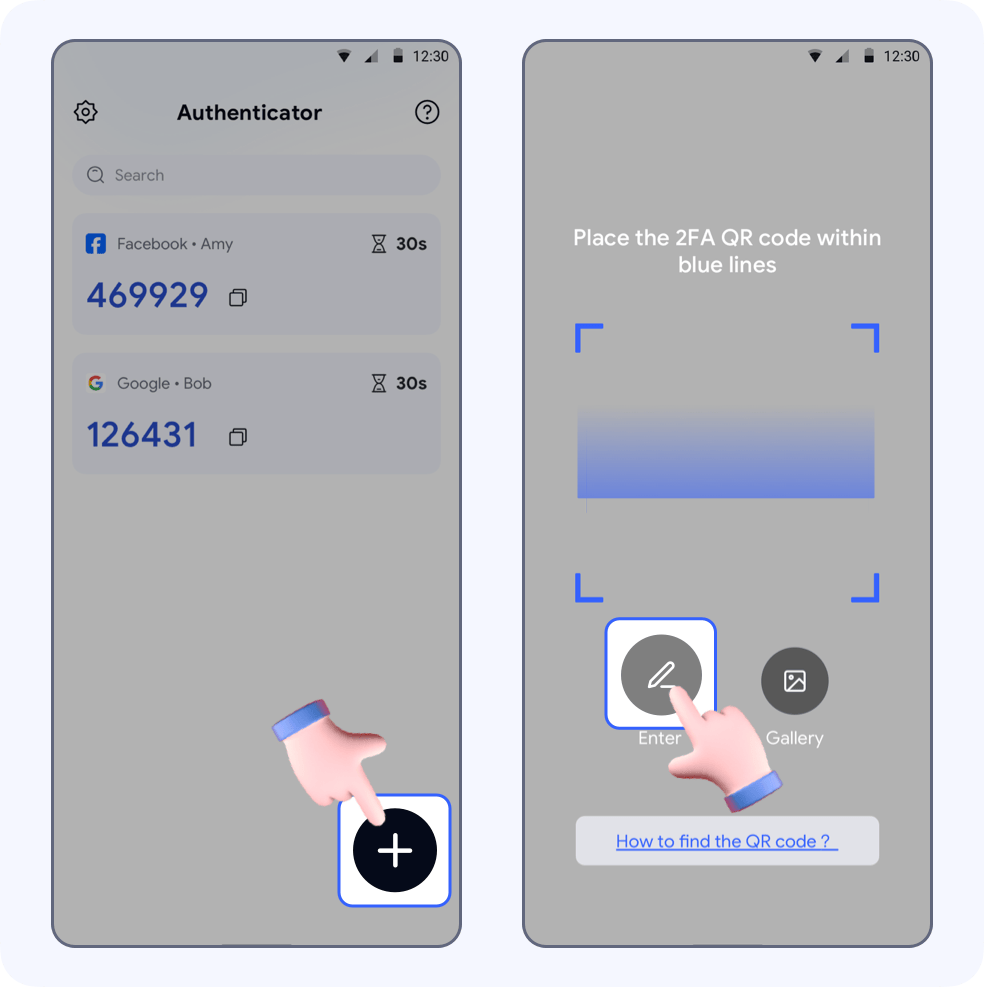
Open Authenticator, tap +, go to the automatic scanning page, then click Enter.
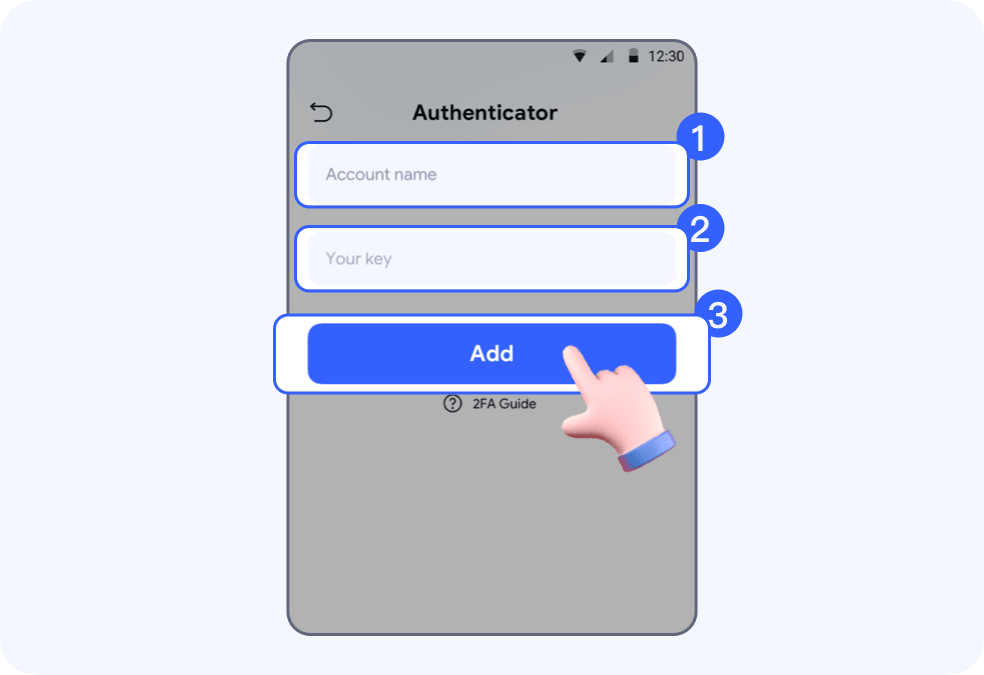
Enter “Snapchat” in Account name, paste the Private key in Your key, then tap Add.
Your Snapchat account will be auto saved to SecureAuth.Copy the auto-generated 6-digit code and return to Snapchat.
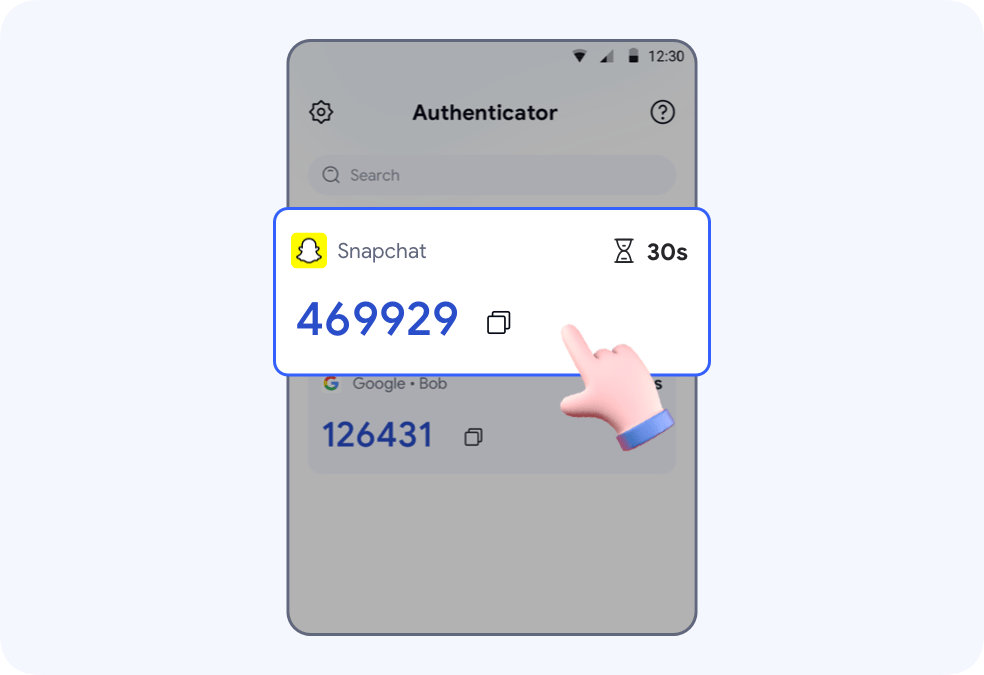
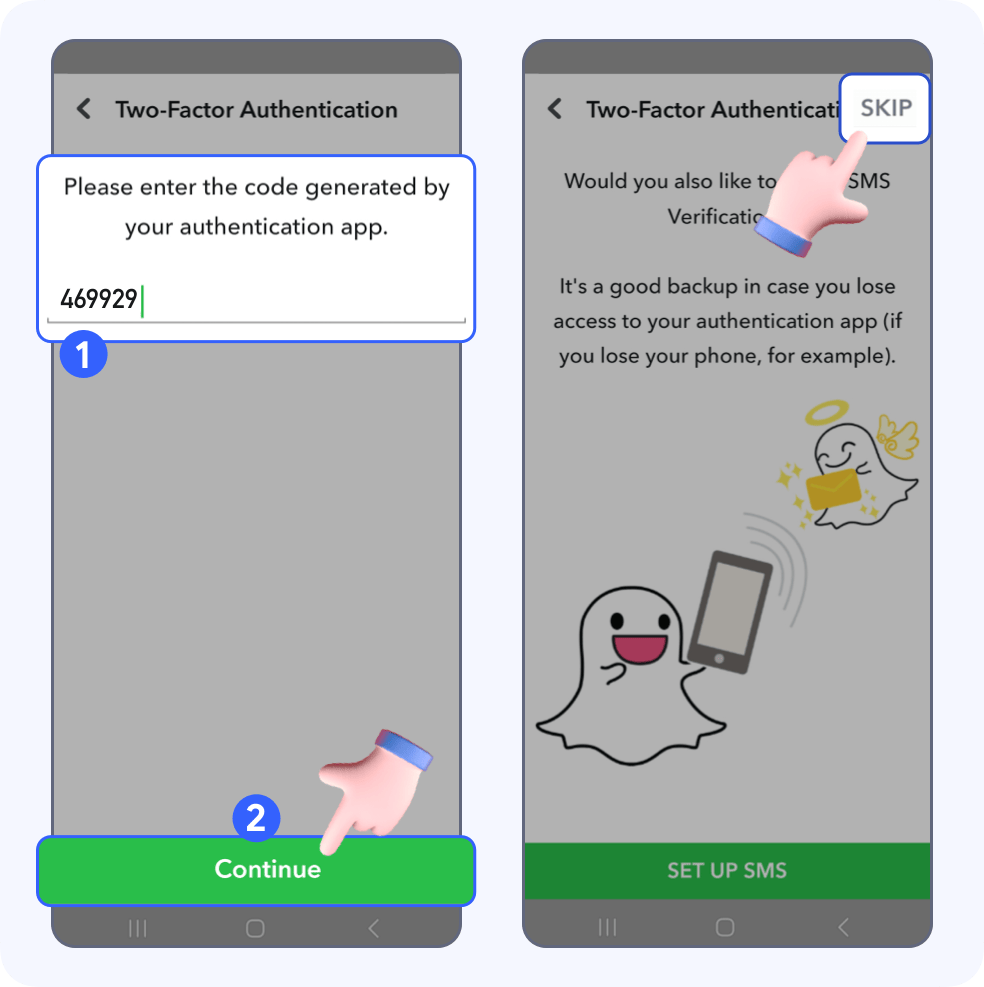
Paste the code in the input field and tap Continue. Then tap Skip.
3.Save your Recovery Code
Your Snapchat account is now protected by SecureAuth.
It is recommended to follow the steps below to generate a Recovery Code and save it in a safe place.
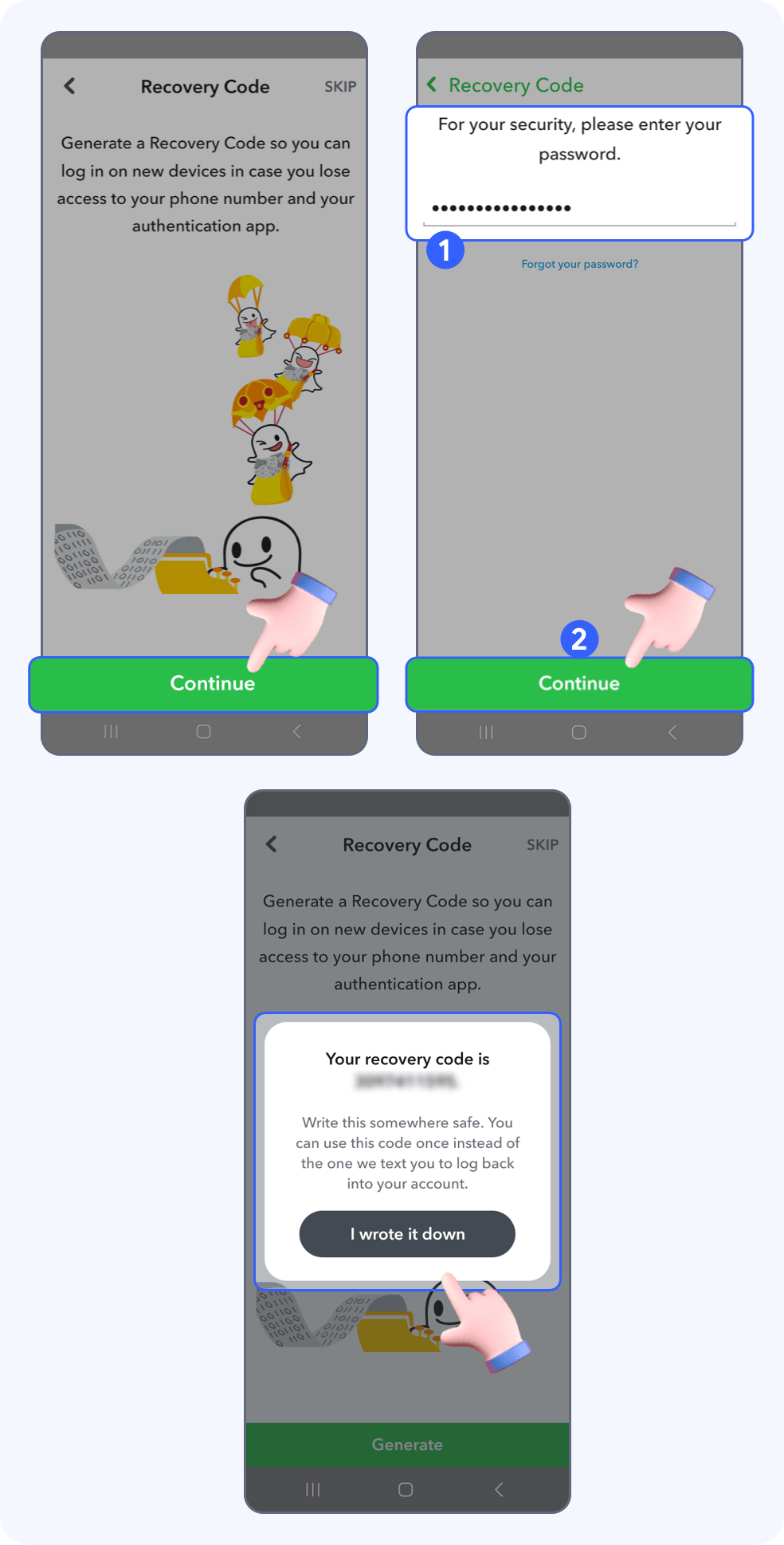
🎉Done! Two-factor authentication is successfully turned on for your snapchat account.